Case study · Best Photo Picker
The 50 best photos of the people you love, found on your own computer.
Arkalogy took a common problem, thousands of family photos and no way to find the best of one person, to a free app that solves it on your own computer: product, design, architecture and a signed Mac release. Nothing is uploaded.
Free, MIT-licensed, no account. The first analysis asks, then downloads about 660 MB of on-device models once. Product site: arkalogy.github.io/best-photo-picker.
Photo apps are built to keep everything. This one is built to hand you the few shots that matter.
The problem
Fifteen thousand photos. You need fifty.
The grandparents want the best of the year. So does the photo book, and the holiday card. The photos are all there, buried among blinks, blurry frames and twelve near-identical burst shots of the same moment.
Apple Photos and Google Photos store all of it, tidy up duplicates and pick photos for their Memories, but neither lets you ask for an exact number of the best photos of one person, ranked across the whole library. Lightroom's culling tools are built for photographers working through a shoot, on a subscription. And Google Photos does its face matching in Google's cloud.
Storing the photos is solved. Finding the real best fifty, without handing the library to anyone, is not.
Best Photo Picker is built for exactly that: thousands of photos of the people you love, and a short list of keepers, on your own computer.
The approach
One promise shaped every decision.
Your photos never leave your computer.
That ruled out the easy path: no cloud GPUs, no server-side face matching, no account. Everything else followed from it, from how the app installs to how it earns trust with a family library. Each decision below came with a cost, and the cost was accepted on purpose.
-
Private by design, not by setting
All scoring, face recognition and search run on the user’s computer, and the few network calls are listed in the README.
Trade-off: a first analysis takes an hour or more per 6,000 photos, and about 660 MB of models download once.
-
Models only with consent
The app ships no restricted model files. Each one downloads after a prompt that names it, its size and source, and is checked against a pinned SHA-256; research-only models need their own agreement.
Trade-off: extra clicks on first run, and some features stay off until the user opts in.
-
A real app, not a script
A signed, notarized Mac app wraps the same local interface, so most people never open a terminal. A full command line stays for power users and servers.
Trade-off: the app build is Apple Silicon only for now; other computers install it with Python.
-
One job, done well
It picks the best photos of the people you choose. It is not a photo manager or a sync service, and it copies photos into its own library so the originals are never touched.
Trade-off: the library needs as much free space as the photos imported into it.
-
Try it before trusting it
bpp demoopens the full app on generated sample images, so anyone can judge the picks before pointing it at their own photos.Trade-off: the demo needs a Python install; the Mac app opens straight onto your own photos.
-
Reasoning written down
The load-bearing choices live in architecture decision records and a model-license policy. AI-assisted engineering under Arkalogy’s product direction: scope, priorities and every architectural decision were owned and approved deliberately.
Outcome
Shipped, signed and tested.
- Version 0.2.2, released October 2026: a signed, notarized Mac app plus a PyPI package for every other computer.
- Six releases since going public in June 2026.
- 5,500+ Python and 1,700+ interface tests on every change, plus 68 end-to-end tests that click through the real app on every release.
- Five decision records and a model-license policy, all open source under MIT.
- What Arkalogy did: product definition and scope, interface design, architecture, AI-assisted engineering, the release and signing pipeline, and the licensing posture.
The product, in three steps
Three steps, all on your computer.
-
Import a folder
Pick any folder of phone exports, iPhone HEIC or camera RAW. It copies them into its own library, leaves your originals alone, and scores every photo offline.
-
Name the people who matter
It recognizes faces and gathers each person’s photos in one place. Name the people you care about, or a group like “Family”, and the picks favor them.
-
Ask for as many as you want
Ask for any number, 10 or 500, from the whole library or any album. You get the best of them, with near-duplicates and burst shots left out.
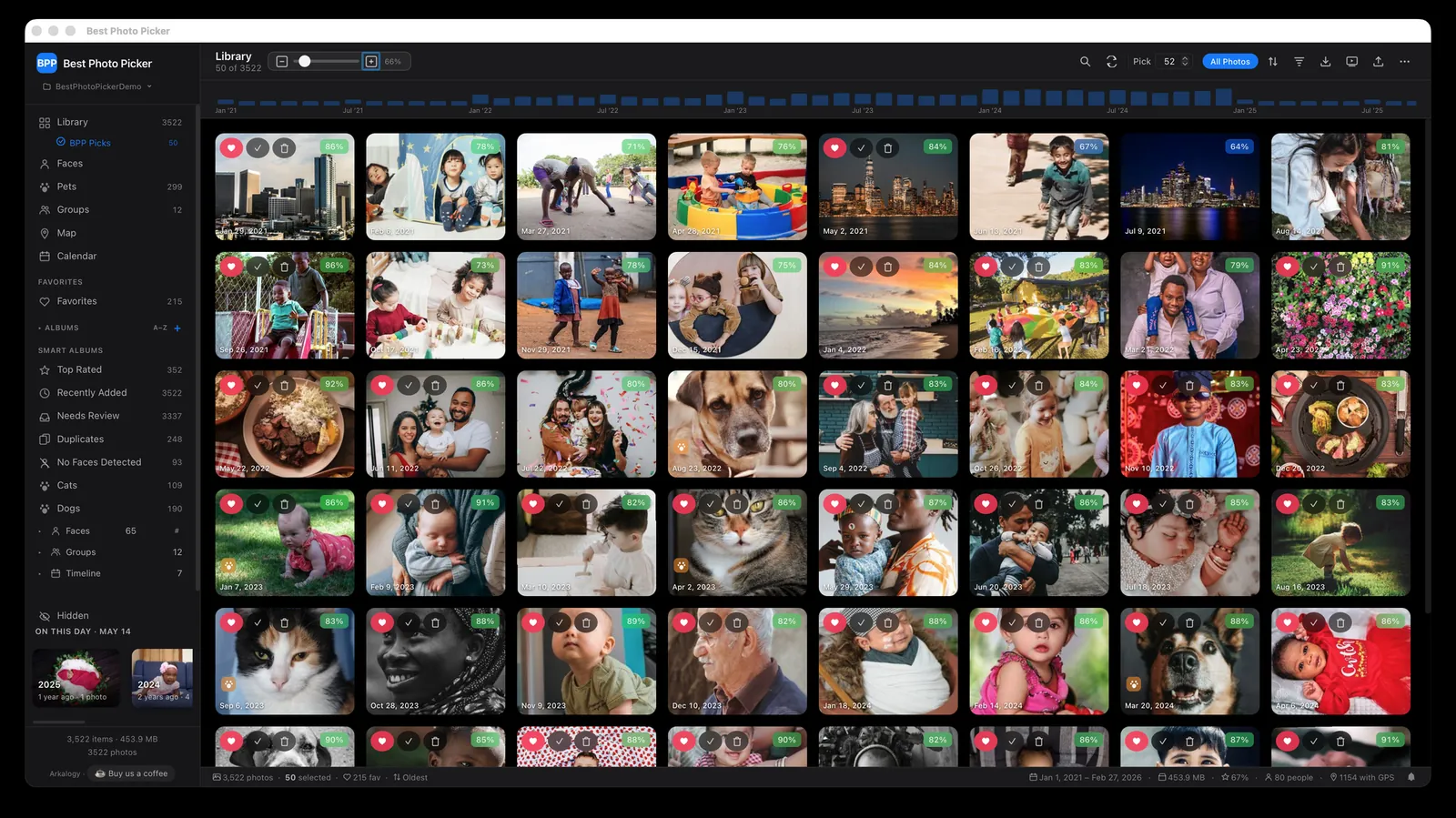
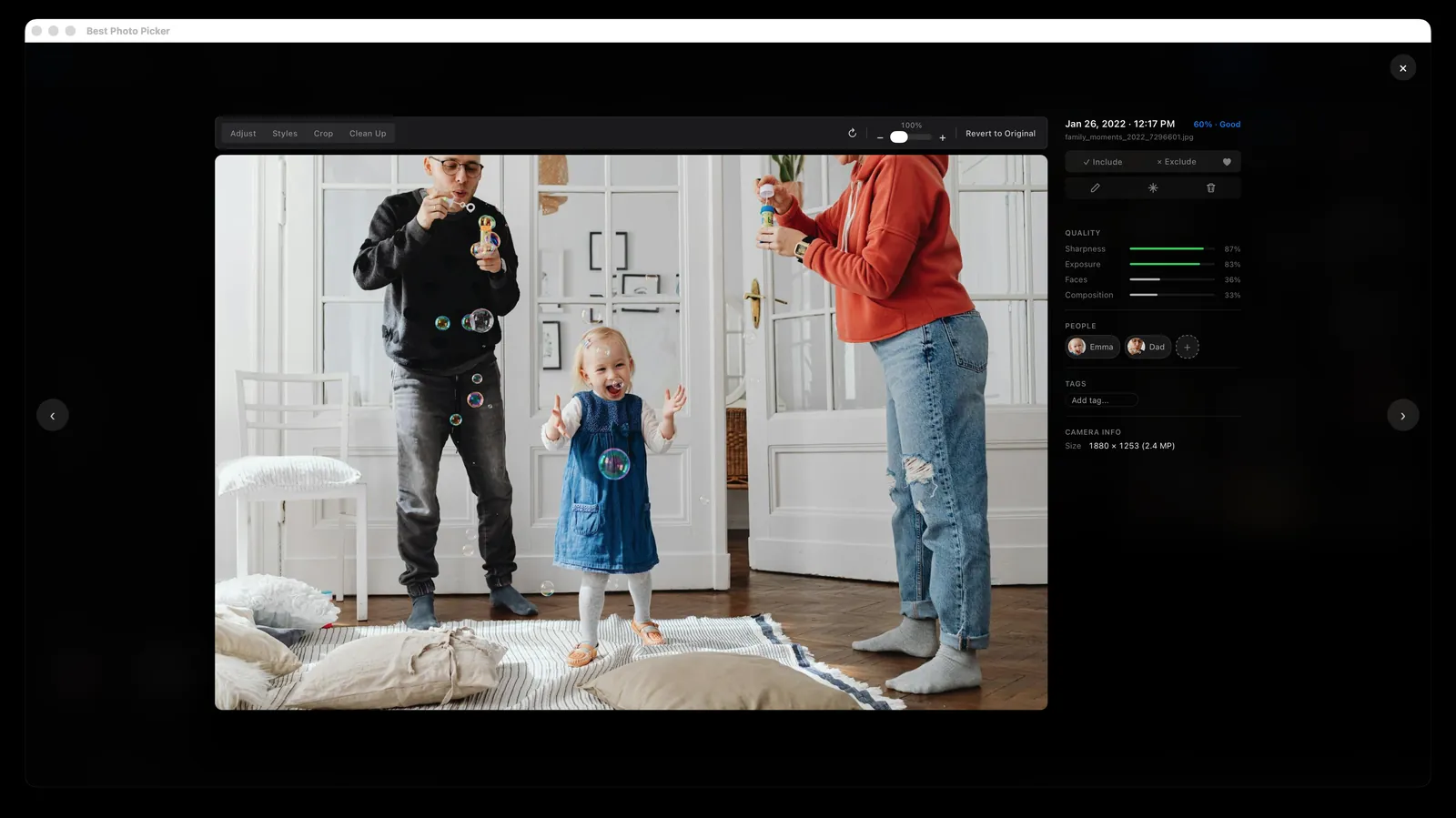
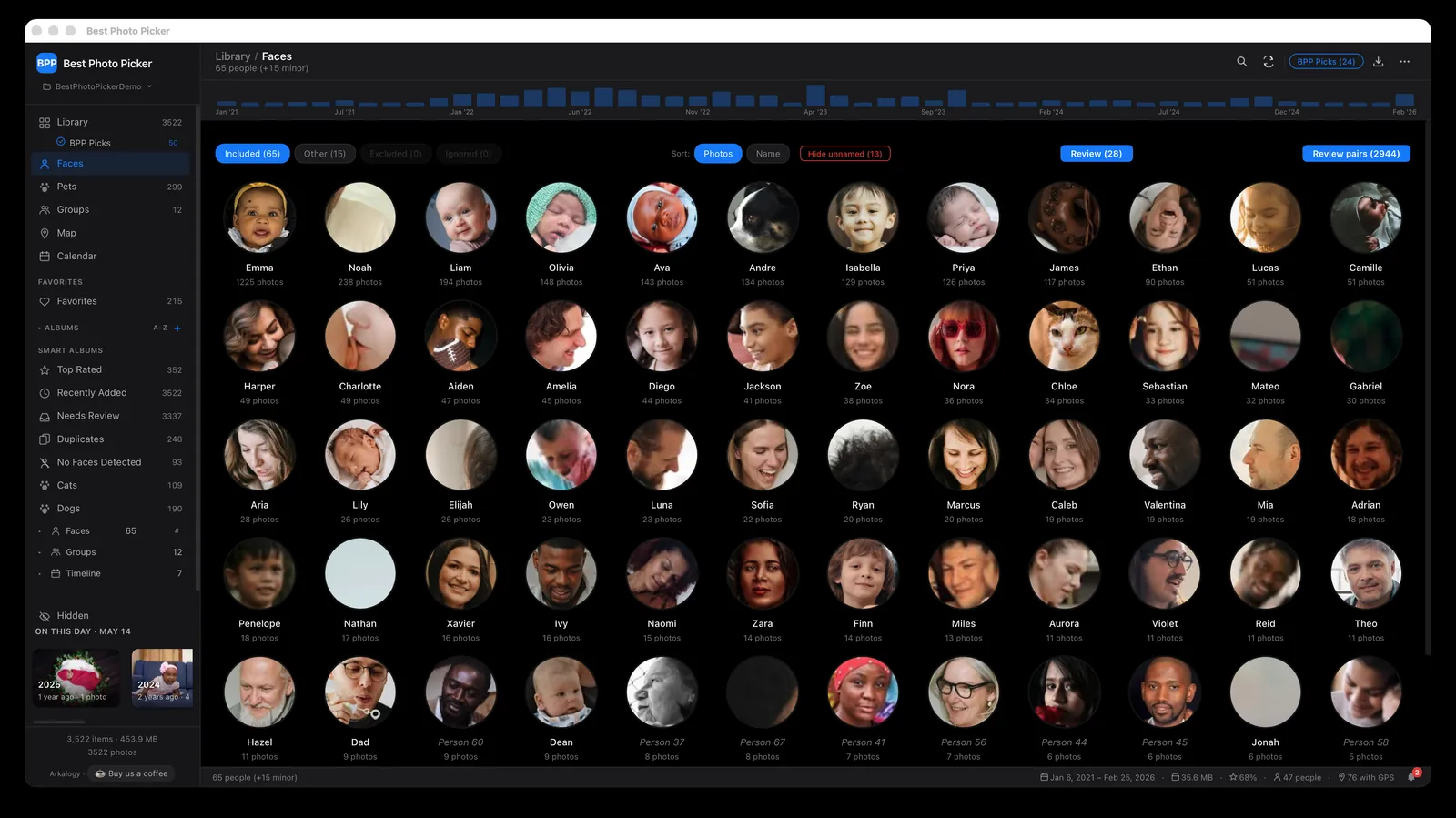
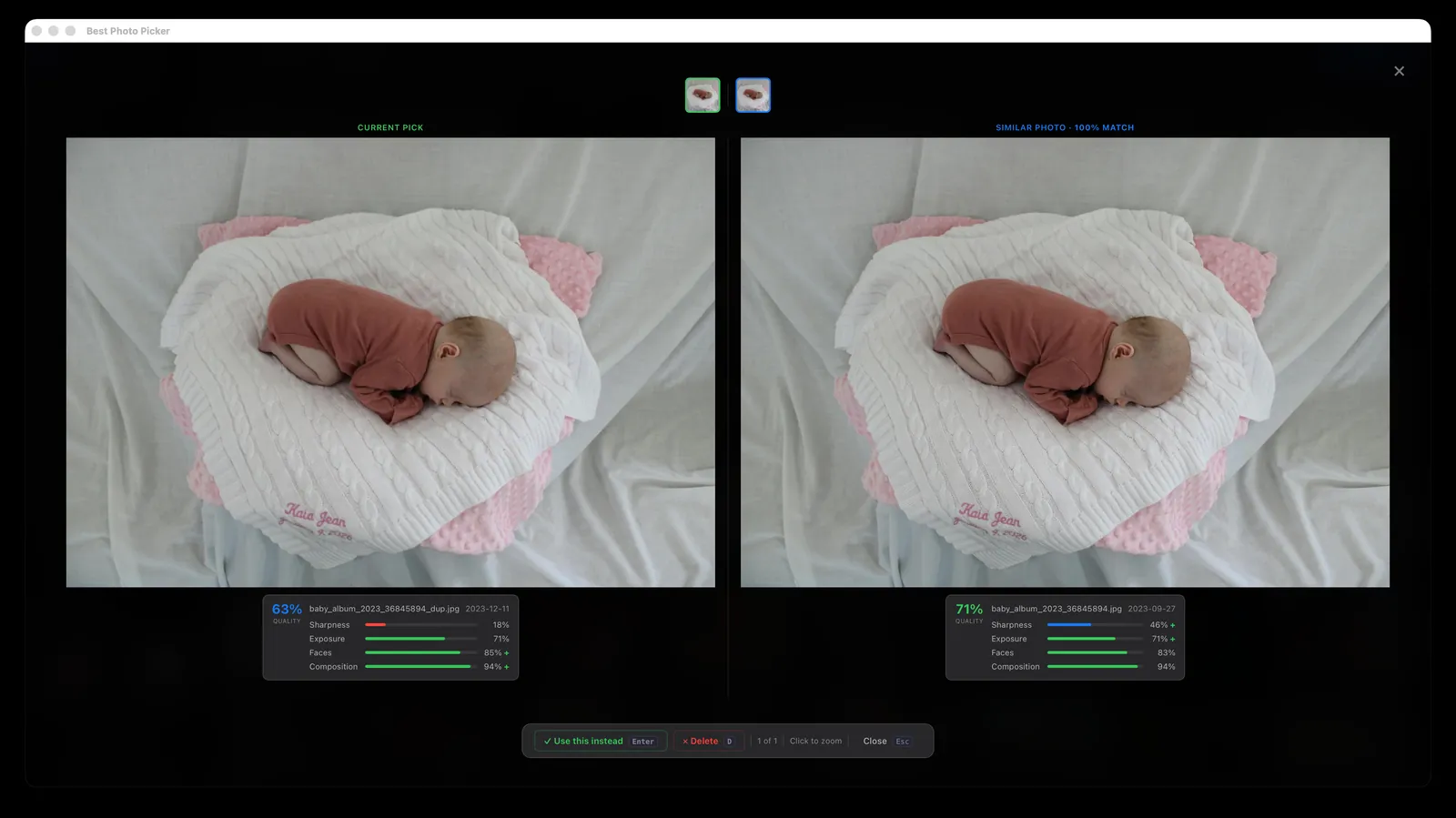
The product
Everything between “thousands” and the final set.
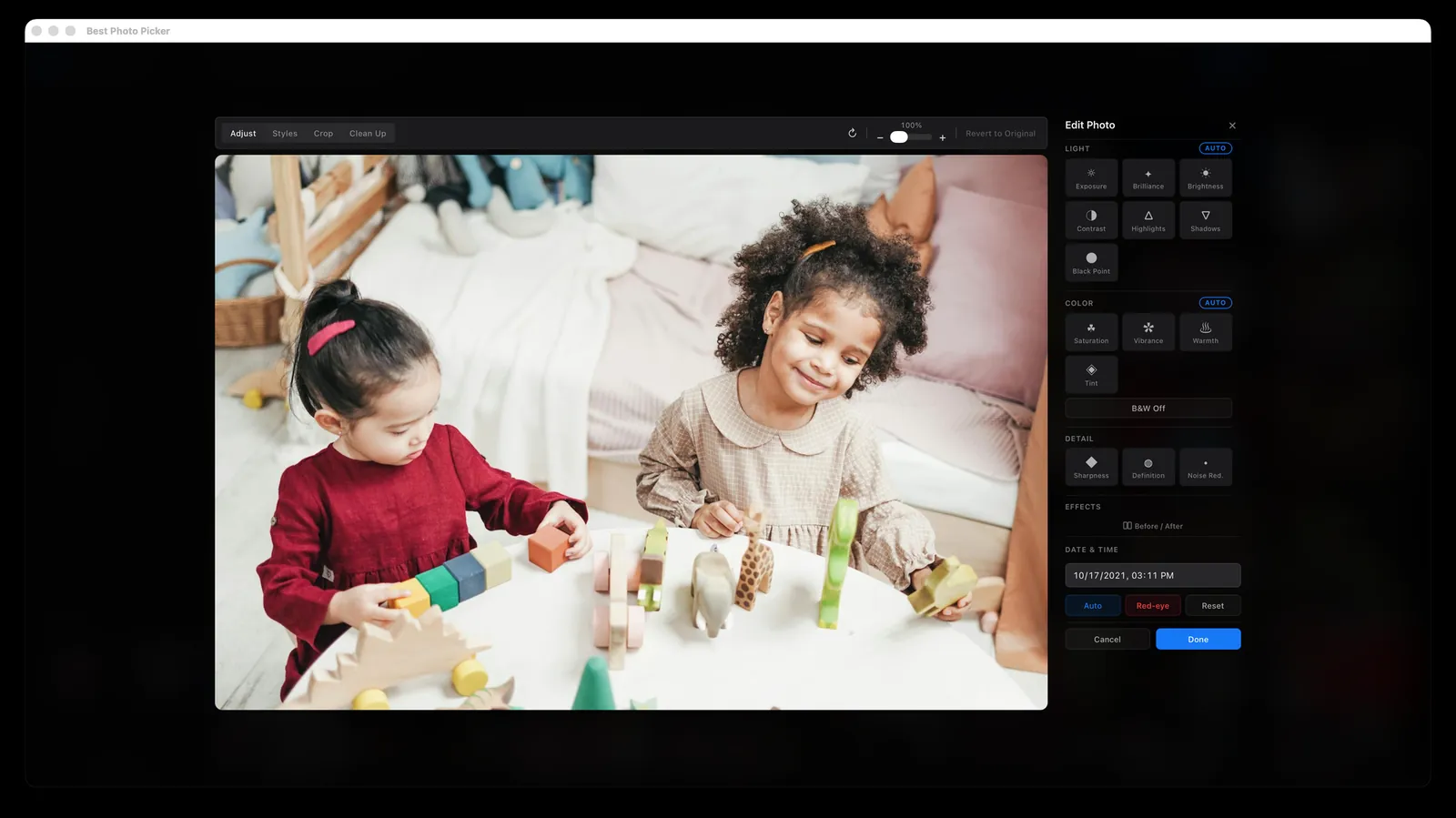
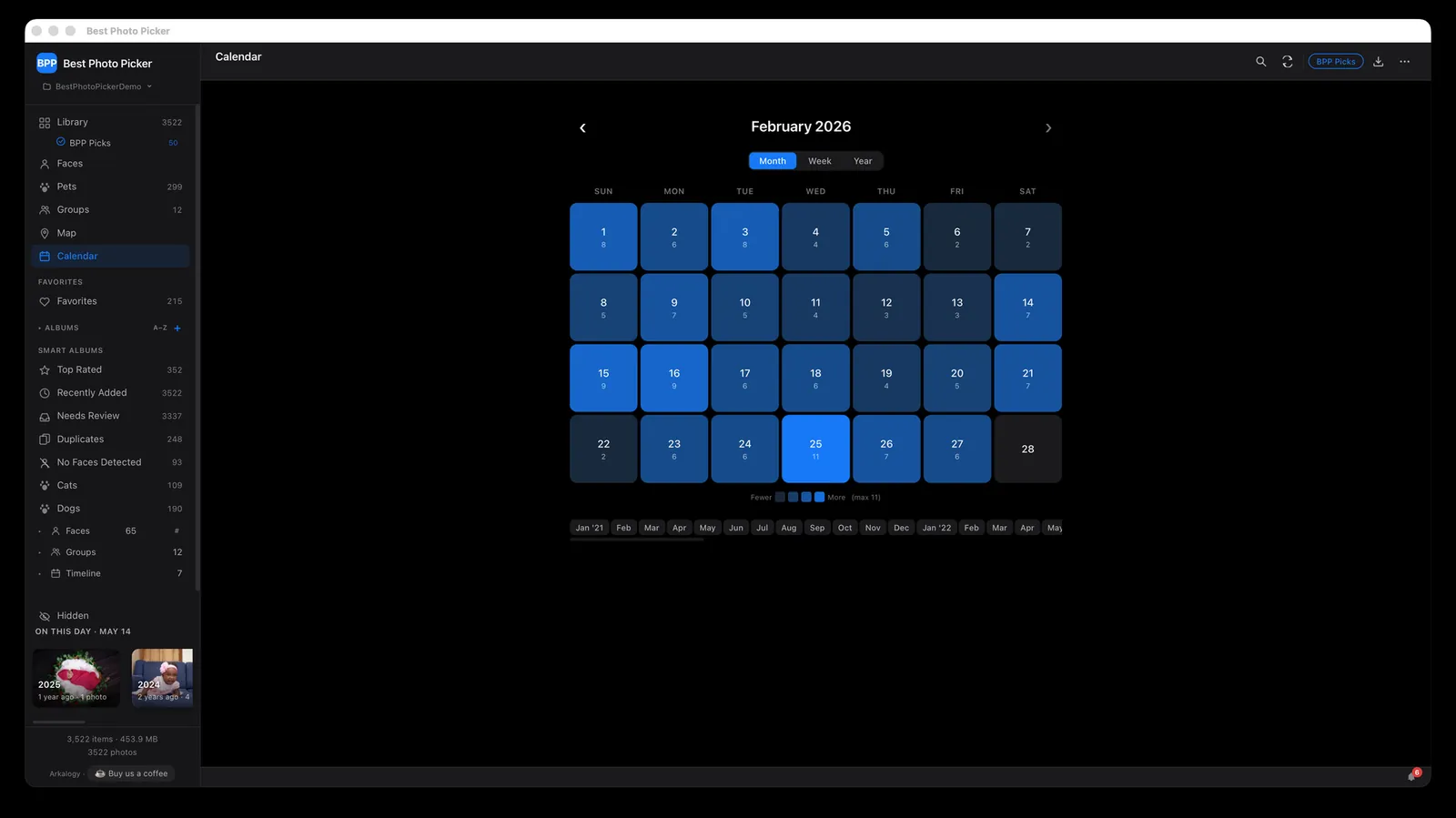
Beyond the three steps: near-duplicate and burst folding, picks spread across the year, a non-destructive editor, search by describing a photo, smart albums for each person, group and year, export for a photo book, and browsing from any screen at home over Wi-Fi.
The gap
Others store, tidy or cull. This one picks for your people.
Apple Photos and Google Photos keep everything, group duplicates and pick photos for Memories. Neither lets you ask for an exact number of the best photos of one person, ranked across the whole library, and Google Photos does its face grouping on Google's servers.
Lightroom now culls with AI, but it is built for photographers working through a shoot, needs an Adobe account and a subscription, and can't favor a person. Aftershoot, Narrative Select and Excire are excellent paid tools for culling a shoot, built for working photographers rather than years of family photos. digiKam is free and open source, with duplicate finding and a basic quality scan, but it is an expert's tool and can't favor a person either. Immich is a great self-hosted library with face recognition and search, but it stores and browses rather than ranking a best-N set.
Going from thousands of family photos to a final set, on your own computer, weighted toward the people who matter, free and with no account: that is the gap, and it is why this exists.
| Feature | Best Photo Picker | Apple Photos | Google Photos | Lightroom Classic | digiKam |
|---|---|---|---|---|---|
| Runs locally, fully offline | ✓ | ✓ | ✗ | mostly | ✓ |
| Ranks the whole library into a best-N set | ✓ | limited | limited | AI culling | basic |
| Leans the picks toward a named person | ✓ | limited | limited | ✗ | ✗ |
| Near-duplicate grouping | ✓ | ✓ | ✓ | ✓ | ✓ |
| Free and open source | ✓ MIT | ✗ | ✗ | ✗ | ✓ GPL |
| No account, no subscription | ✓ | ✓ built into macOS | ✗ | ✗ | ✓ |
As of October 2026, for each tool's mainstream desktop or consumer version. Features and terms change; check current details.
Not in someone else’s cloud.
On your own computer.
Many photo services copy your whole library to their servers to process it. Best Photo Picker does all of the work on your computer, so nothing is sent away to be analyzed, scanned, mined for data or used to train AI.
- Your photos never leave your computer. Scoring, face recognition and search all run right there, never on Arkalogy’s servers or anyone else’s.
- No account, no subscription, no tracking. Nothing to sign up for, nothing to pay, and the app never reports what you do in it.
- It goes online, but never with your photos. Only for models, updates and map tiles, plus a quick check of a signed model list at startup and, on Python installs, add-ons you choose to install. Each one is in the README.
- Open source under the MIT license. Anyone can read the code, check these claims for themselves, or build the app from source.
Get it
Free, on the computer you already have.
Mac with Apple Silicon
The app, signed and notarized by Apple. Open the download, drag it into Applications, and open it. Updates keep your library as it is.
Download for Mac →Try it on a sample library first
Opens the full app on a small set of generated sample images, none of your own. Needs Python 3.11.
pipx install --python 3.11 "bppicker[web]" && bpp demo
Intel Mac, Windows or Linux
Install it with Python 3.11 (HEIC and camera RAW support included), then run bpp serve to open it in your browser. Tested on Linux; Windows should work but hasn't been tested end to end.
pipx install --python 3.11 "bppicker[web,heic,raw]"
Contribute
It is built to be extended, and contributions are welcome. Open an issue for a bug or an idea, or send a pull request. Windows support, a new model or a new smart album all make good first contributions.
Find the photos worth keeping.
On your own computer, with nothing uploaded. Free, and open source under MIT.
Product site · Source on GitHub
Screenshots and demo use stock photos from Pexels and generated test images.
Other product names are trademarks of their respective owners; Best Photo Picker is not affiliated with or endorsed by them.